IRC
Content
:See [[ED IRC]] for the wiki's IRC information.
This template inserts specific content or formatting. View template page for more details.
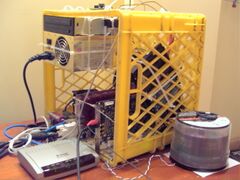

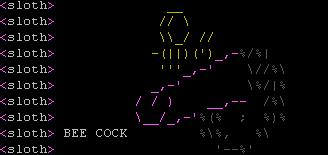
Internet Relay Chat (IRC) (AKA Multiplayer Notepad) has been around for [[Over_9000|65 billion years]]. It's the bastard offspring of [[UNIX]] talk and ntalk protocols.
To put it simply, IRC is like a normal chat system, except instead of chat (which doesn't happen as everyone is either idle or a bot the fbi), the main activity of IRC is op-wars and [[Denial of Service|denial of service]] attacks. Ops are people who kick and ban those from a room who suck up the least (the non-ops don't have that so they denial of service attack them instead), which causes the banned users to retaliate by DDoSing the ops and the IRC network and ChanServ, then gaining ops on a split. IRC is commonly known as an inferior version of the superior [[Discord]]
Unsurprisingly, the [[existence]] of channels (to make communication a bit easier) created potential for vast amounts of [[drama]], which quickly transformed from being potential to actual drama, human beings being what they are beans in a pot. Channel and network drama happens at an exponential rate of growth, but since anything rarely goes past words in the IRC protocol, it's entirely harmless and pointless. Stupid drama. IRC also is used to transfer two very different types of [[trolling|important]] [[cybersex|communication]].
IRC users are on a continuous quest to gain more status. There are always more channels and more servers on which to gain [[ops]]. IRC is also a center for [[warez]]. Once you've got lots of ops, IRC users can try and climb the "LeetLadder". You've never seen anything so useless as someone with lots of IRCops who tries to use that status [[IRL]].
Most people use [[smiley]]s to express their feelings on IRC. Meanings of smileys differ from channel to channel. For example, people on one channel might say "::D" when they see something funny, but on another they might say "=DDDd" to express the same feeling. Acronyms like [[LOL]], [[ROFL]] or [[LMAO]] are also used to express feelings but, as with smileys, their emotional content differ greatly from channel to channel.
Much [[lulz]] on IRC can be had at the expense of [[newbie|nubs]], who are often told to [[scroll up]] after pasting old [[meme]]s.
The timeline of IRC
1989: IRC? lol anon, the internet is still in its infancy, but you can use Usenet or bulletin board systems to communicate with others online.
1990: IRC? lol anon, have you tried using MUDs or MOOs? They're text-based virtual worlds where people can interact and chat in real-time.
1991: IRC? lol anon, email is the way to go. With services like Hotmail and Yahoo Mail, you can send messages to anyone with an internet connection.
1992: IRC? lol anon, CompuServe and America Online are the big players in online communication. You can chat with other users and access news and information.
1994: IRC? lol anon, the World Wide Web is taking off. You can use web-based chat services like AOL Instant Messenger or ICQ to talk to your friends and family.
1995: IRC? lol anon, ICQ is the must-have instant messaging app. You can chat with your friends and share files and photos.
1996: IRC? lol anon, Microsoft releases MSN Messenger, which quickly becomes a popular instant messaging platform.
1997: IRC? lol anon, Yahoo Messenger and AIM are also popular messaging apps. You can use them to chat with friends and family and join chat rooms.
1998: IRC? lol anon, why don't you use ICQ instead? It's much better for messaging and file sharing.
1999: IRC? lol anon, ICQ is still popular, but you should also check out Napster for sharing music and other files.
2000: IRC? lol anon, GG is the new messaging app in town. Everyone is already using it, so you should too.
2001: IRC? lol anon, Microsoft releases Windows Messenger, which integrates with their Windows operating system and becomes a popular messaging app.
2002: IRC? lol anon, MSN Messenger is the way to go. It's easy to use and has a lot of features like custom emoticons and voice and video chat.
2003: IRC? lol anon, Skype is the future of communication. You can make phone calls and video calls for free over the internet.
2004: IRC? lol anon, Facebook launches Facebook Messenger, which allows users to chat with their Facebook friends without leaving the site.
2005: IRC? lol anon, MySpace is the place to be for social networking. You can connect with friends and customize your profile with music and graphics.
2006: IRC? lol anon, MySpace is still popular, but you should also check out Tuenti if you're in Spain. It's a social network that's gaining traction.
2007: IRC? lol anon, Twitter is the new kid on the block. It's a microblogging platform that lets you post short messages and follow other users.
2008: IRC? lol anon, WhatsApp is the messaging app to use. It's cross-platform and allows you to send messages and make calls for free.
2009: IRC? lol anon, WhatsApp is still going strong, but you should also try out Skype for Business if you need to communicate with colleagues.
2010: IRC? lol anon, Apple launches Facetime, which allows users to make video calls on their iPhones and other Apple devices.
2011: IRC? lol anon, Google+ launches with its own messaging app called Huddle, which lets you chat with multiple people at once.
2012: IRC? lol anon, Snapchat is the new messaging app in town. It allows you to send photos and videos that disappear after a set amount of time.
2013: IRC? lol anon, use Telegram for encrypted messaging. It's also fast and reliable, and you can send files up to 2GB in size.
2014: IRC? lol anon, use Matrix/Riot.im. It's an open-source, decentralized platform that supports end-to-end encryption and can bridge to IRC.
2015: IRC? lol anon, that's prehistoric! You should check out Discord and Slack for team communication. They offer voice and video chat, file sharing, and integrations with other apps.
2016: IRC? lol anon, WhatsApp is still popular, but you should also try out Signal for secure messaging. It's open-source and uses end-to-end encryption.
2017: IRC? lol anon, Facebook Messenger is still going strong, but you might want to check out Viber for free calls and messaging.
2018: IRC? lol anon, it's not stable, the state can do disable! See Briar for mesh networking, which uses Bluetooth and Wi-Fi to create a decentralized network for messaging.
2019: IRC? lol anon, TikTok is the new social media app in town. You can create and share short videos with others around the world.
2020: IRC? lol anon, with the COVID-19 pandemic, video conferencing has become essential. You should use Zoom, Google Meet, or Microsoft Teams for virtual meetings.
2021: IRC? lol anon, Clubhouse is the latest app to take the social media world by storm. It's an audio-based platform where you can join live discussions and chat with others.
2022: IRC? lol anon, Web3-based decentralized communication platforms are gaining popularity. You can try out apps like Status or Element for secure messaging and group communication.
2023: IRC? lol anon, with the rise of virtual reality, platforms like VRChat and AltSpaceVR (shutdown on march 10th because no furry and loli avatars unliek vrchat) are becoming popular for socializing and communication in immersive virtual environments.
IRC In The Media
Guide for new users
* Type '/server (server)' or use the connect to connect to a new IRC server (use '/server -m (server)' to connect in a new IRC window without disconnecting from the current server. There are several large networks like EFnet (irc.efnet.net) and Rizon(irc.rizon.net, aka animu central). Of other note are private servers irc.pirated.ws, irc.7chan.org, and irc.chatnets.net. Some places, like Rizon or Chatnets, or really any place except stone-age EFnet, has a NickServ. Register with NickServ (type '/msg nickserv register passwordhere realemailhere') and then '/msg nickserv identify password' to be identified. Some places, like #4chan on Rizon, require you to be registered with NickServ to join.
* Type '/j #channel' or '/join #channel' (it's the same) to join a channel. To part, just close it with the red X, or type /part #channel somemessage if you want to be fancy.
* To change nick, type '/nick newnickhere'. There is a limit on how long the nick can be; some networks only allow a maximum of 9 characters, while others let you go up to 18.
* To send a private message, use '/msg nick message here blah blah dongs'. In most clients, private messages appear in a little new window.
People on IRC
* Channel founders, +q, have a "~" by their name, and are the creators of the IRC channel. They can change all channel settings and modes.
* Super-ops, aka +a or admins, have a "&" by their name, have the same powers as ops, can access some ChanServ commands, and cannot be kicked by normal ops.
* Ops, aka +o, have an "@" by their name. They can ban, kick, add and remove ops, change the topic, and make your life hell.
* Half ops, aka hops or +h, they have a "%" by their name. They can ban and kick, add and remove voice, change the topic and set a few modes.
* Voiced, or +v, have a "+". They are just regular users who we trust for the most part and have been there a while. Also, if the channel is set +m (moderated, basically mute) they and the +q, +a, +o and +h people can talk, while regular users can't.
** A few channels set +v on join, usually if it's +m so that ops can remove voice from people who spam or whatever.
A user without a "~", "&", "@", "%", or "+" is just a regular person. They may feel as clueless as you. Just use IRC, and you will learn. Weeaboos, check out irc.rizon.net, gamers, irc.gamesurge.net, and really just join random channels to see what's going on. On efnet, basically any word has a channel for it, so explore and lurk.
Note about Lurking: SAY SOMETHING EVERY ONCE IN A WHILE. Many channels get sick of people just joining and watching, at least let them know who you are so someone doesn't kick you or something. So, you can lurk, but be sure to talk occasionally. The IRC world is extremely intolerant of newfags.
A side note, another breed of IRC dweller not previously mentioned is the IRC Operator (IRCop). Worse than a channel operator, these bastards will [[Death|kill]] or [[G-Line|Z-Line]] you for merely existing. Identified by a different nick color (for mIRC lusers), or by the presence of the following in a /whois (which, by the way, they get alerted to people /whois'ing them), avoid these beings at all costs, as most of them have little, or no sense of humor.
How to identify an IRC Operator (from mIRC):
[04:13] * ThisGuy is [email protected]
[04:13] * ThisGuy is <>
[04:13] * ThisGuy is an IRC Operator/Server Administrator/Server Co-Administrator/Services Administrator/Network Administrator (only one of these)
[04:13] * ThisGuy is on ?#staff, ~lobby, &staffjerks
YOU WERE WARNED
Channel Operator (@)
Operators are the [[sysops]] of the IRC realm. They only exist to [[rape|kick]] you repeatedly and [[ban]] you when you make a [[fag]]gy comment. They are power-hungry bastards with no sense of compassion. Aside from idling, most time spent on IRC is from op wars--this is fighting over the power to be an op. OPs often grow bored on IRC and entertain themselves by kicking and banning people.
Channel Operators also make up the most important line of defense in flood attacks, if your channel gets flooded, the best way to handle it is like this:
/mode #channel +o pynchon
A friendly, musical message to all IRC operators
How To Get Ops
<@retardop> ok
** channel set +o superfreek
<@superfreek> lol
** channel set +b retardop
** retardop has been kicked by superfreek (lol)
-retardop- omg [[bash.org]]
Bots
Because IRC is a tedious bore, where the few and far between [[lulz]] drown in a sea of [[drama]], people often [[quitting IRC forever|leave]]. The jewel encrusted founders, who believe that user counts contribute to their [[e-penis]], pad out the channel with unintuitive automated clients called [[bot]]s. A bot’s job is to ensure you have no lulz at all by wearing the remaining human user-base down with constant abuse. Bots employ the following tactics:
*[[spamming]] the [[Urban Dictionary]] definition of http://www.urbandictionary.com/define.php?term=queef&f=1" class="text-indigo-600 dark:text-indigo-400 hover:underline" target="_blank" rel="noopener noreferrer">queef every quarter-second
*repeating the same damn 6 quiz questions in sequence for 6 hours straight (which the [[13 year old boys|players]] still fail to answer correctly)
*kicking anyone who types more than 2 lines in 10 seconds
*getting into kick-loops with each other
*foiling your mass-kick antics
There are many different types of bots, but they’re all owned and configured by [[retards]], so whatever positive features they have will be disabled, or twisted into various extremes of stupid.
Tips for more experienced users
Secure noticing
To send a message to everyone on a channel with a certain level or higher, type this:
::/notice (~|&|@|%|+)#channel message
where the symbol represents the minimum level to send the message to (see "People on IRC").
Use this to share sensitive information without spais finding out.
Services
There are IRC services on most servers (this is mainly Anope services, others exist. what works for one doesn't work for all, don't get butthurt when banned for wrong commands), save for stone-age EFnet. Read:
NickServ
Use NickServ to keep others from using your nick and to keep ops/voice/etc. on channels.
* /msg nickserv register password email - Register your nickname.
* /msg nickserv identify password - Identify yourself.
* /msg nickserv ghost nick password - Get someone who's using your nick to quit. It can also be used in case you disconnect, but your old nick hasn't pinged out yet.
* /msg nickserv help - List all commands.
ChanServ
With a registered and identified nick in an unregistered channel where you are an op:
:/msg ChanServ register #channelname password brief description.
Managing channel access
You can have services automatically op/voice/etc. people, depending on which system you use. Note that when giving a user access, that user must be registered with NickServ.
XOP system
:/msg ChanServ xop #channelname add nick
Where "xop" is either:
* "vop" for auto-voice
* "hop" for auto-halfops
* "aop" for auto-ops
* "sop" for auto-superops
You can also change "add" to "del" to delete someone from your list.
Access level system
:/msg ChanServ access #channelname add nick level
*Adds a user to the access list with that level. If a user is already on the list, their level will simply be changed to the specified level.
:/msg ChanServ access #channelname del nick
*Deletes a user from the access list.
By default, the following access levels are defined:
*Founder - Gives +qo upon entering, allows full access to ChanServ commands. Only one user may have this status.
*10 - Gives +ao upon entering, allows access to akick.
*5 - Gives +o upon entering.
*3 - Gives +v upon entering.
*0 - Nothing.
*<0 - User cannot be opped.
ChanServ kick
Too much of a pussy to kick/ban someone yourself? ChanServ can do it for you!
:/msg ChanServ (kick|ban) #channelname nick reason
Note that if the channel has signkick enabled (default), your nick will be displayed in the kick message.
HostServ
With a registered nick, you can replace your plain old hostname with a vHost, which is basically just a fake hostname.
To request a vHost, type:
:/msg HostServ request [email protected]
You will then have to wait for your vHost to be approved. Some networks do it automatically after about a few hours, while other nets have it to where it must be manually approved.
Fun Things To Do On IRC
*Abuse Channel Mode +f; for example set /mode #channel +f [1t#b]:999 which will kick pretty much anyone saying anything in the channel.
*Put people in kickban loops; Join a channel, register it with ChanServ, do /cs akick #channel add *!*@*, leave the channel, now type //raw join #channel $crlf mode #channel +e ~c:#(a channel that the targeted user is on) $crlf invite TargetUser #channel and watch.
*Abuse ChanServ privileges; a fun thing to do is clearing out the entire channel by doing /cs clear #channel users which kicks everyone from the channel. Alternatively, to cause more destruction, do /cs akick #channel add *!*@* then /mode #channel +e ~c:(a channel alot of people in the channel are also on) then /cs akick #channel enforce. This will send everyone in the target channel that is on the alternate channel you specified into an infinite kickban loop, as well as clearing everyone else out. (Note: On most servers you must use an extban ~c: because ChanServ will detect normal except masks and remove them)
*Abuse OperServ; go onto a populated channel and type /os akillchan kill +0 #channel Hi2u
*Register other peoples nicks when they quit then use the ghost command to kill them off when they come back
See Also
*[[IRC Networks]]
*[[IRC Client]]
*[[ASCII]]
*[[Duckat]]
*[[ED IRC]]
*[[Get On IRC Fgt]]
*[[IRC FAQ]]
*[[MIRC Script]]
*[[Discord]] - The superior chatting method
External Links
*Wikipedians love IRC. Want to see some massively fucked up shit? http://wikipedia-sucks-badly.blogspot.com/2015/09/the-infamous-not-censored-irc-chat.html" class="text-indigo-600 dark:text-indigo-400 hover:underline" target="_blank" rel="noopener noreferrer">Read up on http://wikipedia-sucks-badly.blogspot.com/2016/03/demiurge1000-another-pedo-trainwreck.html" class="text-indigo-600 dark:text-indigo-400 hover:underline" target="_blank" rel="noopener noreferrer">how [[TOW]] admins and buttfuckers use / abuse IRC.
*http://meta.wikimedia.org/wiki/IRC/Channels" class="text-indigo-600 dark:text-indigo-400 hover:underline" target="_blank" rel="noopener noreferrer">The wikicunts have hundreds of channels and you can't get onto any of them.
*http://www.wikipedia-watch.org/findchat.html" class="text-indigo-600 dark:text-indigo-400 hover:underline" target="_blank" rel="noopener noreferrer">Wikipedia IRC Chat Logger (http://www.webcitation.org/5lXiLbpu2" class="text-indigo-600 dark:text-indigo-400 hover:underline" target="_blank" rel="noopener noreferrer">Archive)
This template inserts specific content or formatting. View template page for more details.

[WTFBBQ]
| Other Lingo | Template: roundybottom">.75em ; padding:.2em; background:#c0ffc0; margin:.1em; border:1px solid #000000;" | Bad AcronymsThis template inserts specific content or formatting. View template page for more details. | Template: roundybottom">.75emView/Edit Template: roundybottom">.75em This template inserts specific content or formatting. View template page for more details. Template: pagename ]]This template inserts specific content or formatting. View template page for more details. Template: timelineView/Edit 📅 Event Timeline: Key events in chronological order. Page InformationPage Details
Latest Revision
Quick ActionsPage Tools
Page ID:
1825
Latest Rev:
1873543
Redirect:
No
|
|---|